How to Create Spooky Halloween Photo Animations with AI
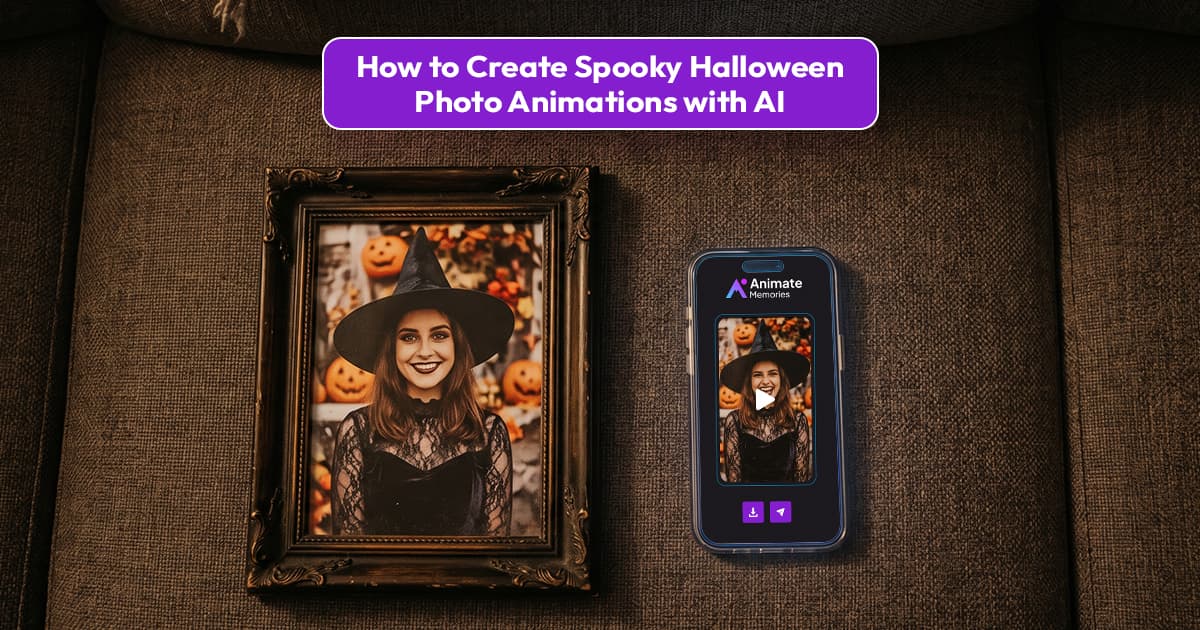
Halloween is the perfect time to experiment with creative photos, eerie visuals, and playful supernatural effects. Instead of sharing another ordinary Halloween picture, you can create something more engaging with spooky Halloween photo animations with AI. A still portrait can become a short video with a mysterious expression, a slow head turn, flickering candlelight, or a cinematic haunted atmosphere.
You do not need advanced video-editing skills to get started. With an AI photo animation tool, you can upload a suitable image, choose a creative direction, and generate a short animated clip. Whether you want to create a spooky portrait for social media, a Halloween party invitation, or a fun seasonal project, AI animation gives you plenty of creative possibilities.
In this guide, you will learn how to create Halloween photo animations with AI, choose the right pictures, write effective prompts, and make your final video look spooky without making it visually overwhelming. Halloween falls on Saturday, October 31, and a clip takes only a few minutes to make, so there is still time to create one for this year.
What Are Spooky Halloween Photo Animations?
Spooky Halloween photo animations are short videos created by adding AI-generated movement and visual effects to still photographs. Instead of keeping a picture completely static, AI can generate subtle facial movements, camera motion, atmospheric changes, and other effects that match a Halloween theme.
For example, you could animate a portrait with a mysterious smile, make a vintage photograph feel like a scene from a classic horror movie, or add gentle movement to a dark Halloween-themed portrait.
Depending on the tool and the prompt, your animation might include:
- A slow, mysterious head turn or subtle facial expression.
- A cinematic zoom toward a portrait.
- Flickering light and shifting shadows.
- A misty, moonlit atmosphere.
- An eerie visual mood inspired by classic Halloween films.
- Playful movements for a costume portrait or themed party image.
The final result depends on the original photograph, the animation model, and the instructions you provide. AI-generated movement is a creative interpretation of the image, so reviewing the finished video is important.
Why Create Halloween Photo Animations with AI?
Halloween content is all about atmosphere, imagination, and visual storytelling. AI photo animation lets you explore these elements without having to record a new video or build an entire scene from scratch.
1. Turn a Still Portrait into a Spooky Scene
A portrait can look completely different when subtle movement and cinematic effects are introduced. A slight head movement, an intense gaze, or a slow camera push can make a Halloween image feel more dramatic.
The key is to choose one main effect and build the animation around it rather than adding too many movements at once.
2. Create Unique Social Media Content
Animated Halloween portraits can be used for Instagram Reels, TikTok videos, YouTube Shorts, Facebook posts, and other seasonal content.
A short animation can also help creators experiment with different visual styles, from playful Halloween costumes to dark, cinematic portraits.
3. Make Personalized Halloween Greetings
You can create a Halloween greeting using a costume portrait, a family photograph, or an original Halloween-themed image. A short animation can make a digital greeting feel more personal than a static picture.
If you use photographs of friends or family members, make sure you have their permission before creating or sharing edited versions of their images
4. Explore Different Halloween Styles
Not every Halloween animation needs to look frightening. You can create a mysterious vintage portrait, a cartoon-inspired scene, a dramatic gothic look, or a lighthearted animation featuring a costume.
This flexibility makes AI animation suitable for different audiences, from horror enthusiasts to families looking for fun seasonal content.
7 Steps to Animate a Halloween Photo with AI
Creating an animated Halloween photo can be a straightforward process. Follow these steps to turn your creative idea into a short video.
Step 1: Choose the Right Photo
Start with a photograph that suits the Halloween style you want to create. A clear portrait is a useful choice because the face is easy to see and provides the AI with visual details to work with.
You could choose:
- A Halloween costume portrait.
- A vintage black-and-white photograph.
- A dramatic portrait with strong shadows.
- A portrait with a mysterious or serious expression.
- A Halloween-themed illustration or character image supported by your chosen tool.
For better results, choose an image with visible facial features and reasonable lighting. Extremely blurry images, heavily obstructed faces, and photographs with complex overlapping subjects may produce less predictable results. Our guide to lighting, depth, and framing explains which photos animate most naturally.
Step 2: Prepare Your Image
Before animating the photograph, check its quality. Remove distractions by choosing a clean source image, and crop it if necessary so the main subject is clearly visible.
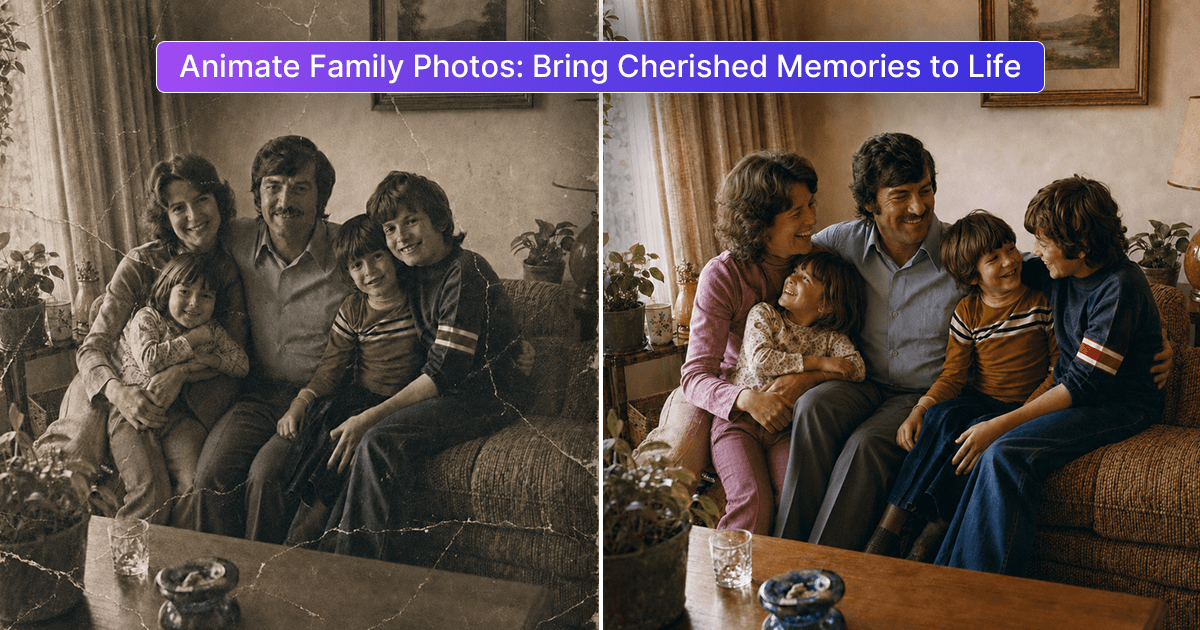
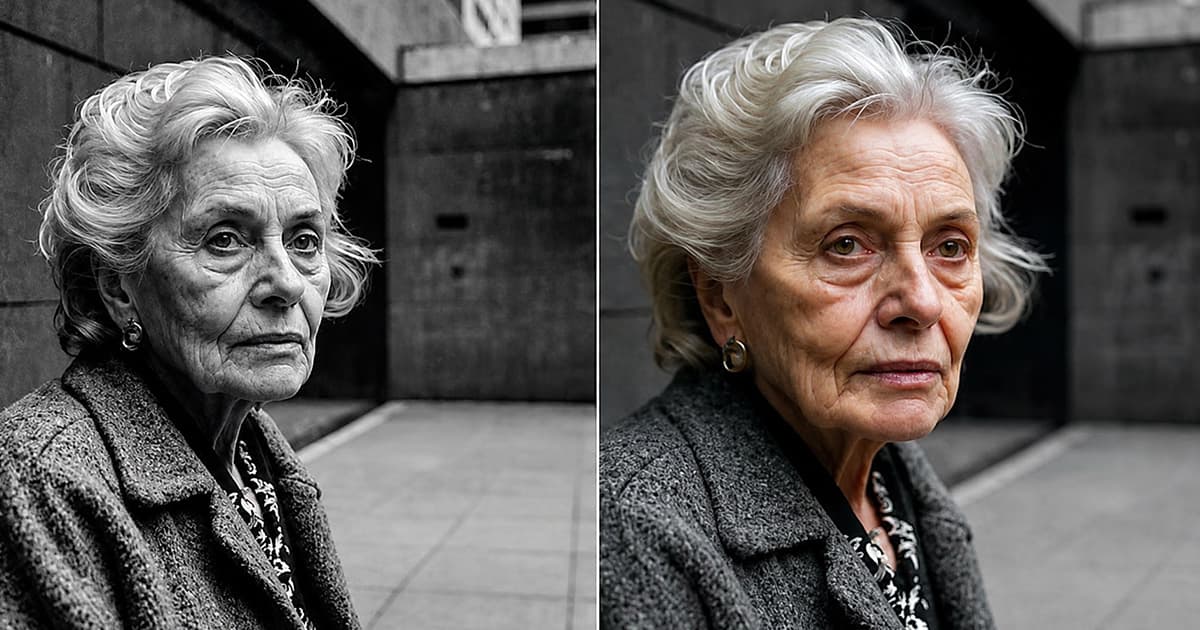
If you are using an old or damaged photograph, consider improving its quality first. AI photo restoration can help address certain issues, such as fading, scratches, and low contrast, although results vary depending on the original image.
You can learn more in our guide to restoring old photos online with AI.
Keep an untouched copy of the original photograph so that you can preserve it separately from the edited version.
Step 3: Decide on Your Halloween Animation Style
Before generating the video, decide what kind of atmosphere you want to create. A clear creative direction makes it easier to write an effective prompt.
Here are a few styles to try:
Classic spooky portrait: Use a slow head turn, a subtle expression, and dramatic shadows for a mysterious atmosphere.
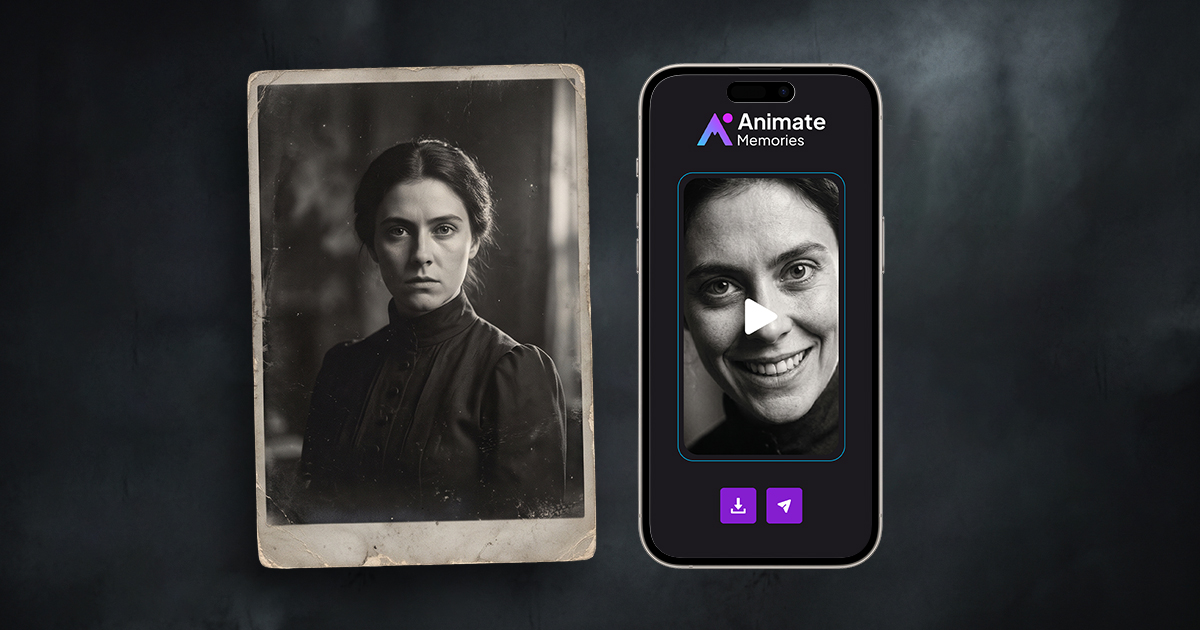
Vintage haunted portrait: Start with an old-fashioned portrait and use restrained movement with a dark, cinematic mood. For inspiration, see how Victorian daguerreotypes become cinematic moments.
Cinematic Halloween look: Focus on a gradual camera movement, moody lighting, and a carefully framed subject.
Playful Halloween animation: Use a costume portrait with a gentle smile, a small wave, or another lighthearted movement.
Gothic-inspired portrait: Use elegant framing, deep shadows, and subtle movement for a dramatic, atmospheric effect.
Choose a style that suits the original image. A natural portrait usually works better with restrained movement than with several dramatic effects happening at the same time.
Step 4: Upload Your Photo to Animate Memories
Open the Animate Memories Studio and upload your selected image.
Choose Animate, then pick a template or describe the movement you want in your own words. You will paste one of the prompts below in the next step.
Choose the video length and quality. The credit cost shows before you generate; for example, a 5-second 720p video uses 4 credits.
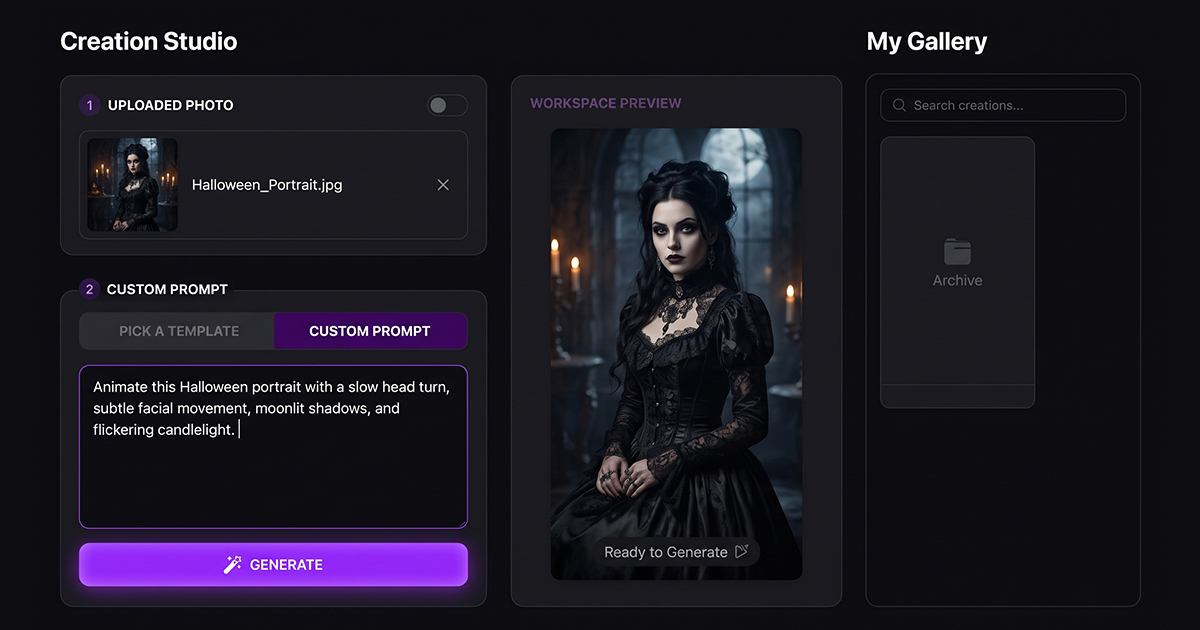
Step 5: Write a Spooky Halloween Animation Prompt
A good prompt explains the movement, mood, and camera direction clearly. You do not need to describe every detail of the scene. Focus on the main action and keep the instructions consistent.
Here are some Halloween photo animation prompts you can adapt to your photograph.
Prompt 1: Mysterious Halloween Portrait
"Create a cinematic Halloween animation from this portrait. The subject slowly turns their head toward the camera with a subtle mysterious expression. Use soft, dramatic shadows and a dark atmospheric mood. Keep the face consistent with the original photograph and make the movement smooth and natural."
Prompt 2: Vintage Haunted Portrait
"Animate this vintage portrait with subtle, slow movement. Add a gentle camera push-in and a mysterious, old-fashioned horror-film atmosphere.
Preserve the original facial features, clothing, and composition. Keep the effect cinematic rather than exaggerated."
Prompt 3: Moonlit Halloween Scene
"Create a subtle Halloween-themed animation with a slow camera movement and a cool, moonlit atmosphere. Use gentle changes in lighting and soft moving shadows. Keep the subject recognizable and avoid excessive facial or body movement."
Prompt 4: Fun Halloween Costume Portrait
"Animate this Halloween costume portrait with a natural smile and a small playful head movement. Keep the original costume and facial features consistent. Use a festive Halloween mood with smooth motion and a clean composition."
These prompts are starting points, not guaranteed outcomes. Adjust them to match the photograph and the features supported by your chosen tool.
Step 6: Generate and Preview the Animation
Once your image and prompt are ready, generate the animation and preview the result.
Check whether the face remains consistent, the movement looks natural, and the overall mood matches your idea. Look carefully for unexpected changes to the eyes, mouth, clothing, or background.
If the result feels too dramatic, simplify the prompt. If the animation looks too ordinary, try a more specific camera direction or a clearer description of the atmosphere.
It is often better to make one adjustment at a time so you can understand which instruction improves the result.
Step 7: Save and Share Your Halloween Video
When you are satisfied with the result, export the animation using the options available in your tool. Choose an aspect ratio suitable for your intended platform and check the video before publishing.
For social media, keep the main subject visible and avoid placing important details where platform interface elements may cover them. You can also add a short Halloween caption or a simple title during editing.
If the animation uses a real person's photograph, be transparent about AI-generated movement when that context could otherwise mislead viewers.
Tips for Creating Better Halloween Photo Animations
A creative idea is important, but the source image and animation instructions also affect the final result. Use these practical tips to improve your Halloween videos.
Keep the Movement Subtle
Small movements can make a portrait feel atmospheric without distracting from the original image. Try a slow head turn, a gentle expression, or a gradual camera movement before attempting a complicated sequence. For more on natural faces, see our facial animation tips.
Match the Prompt to the Photo
A prompt should work with the photograph rather than against it. For example, do not request a dramatic full-body action from a tightly cropped headshot. Choose movement that makes sense for the visible subject.
Avoid Too Many Effects
Combining intense camera movement, changing facial features, dramatic lighting, and multiple actions can make the result look inconsistent. Start with one primary movement and one atmospheric effect.
Preserve the Original Appearance
If you are animating a real person, keep their recognizable facial features and original appearance as consistent as possible. A spooky atmosphere does not require changing the person's identity or adding unrealistic expressions. Take extra care with photos of relatives who have passed away: a playful costume style usually fits better than a haunted one, and family members may feel differently about a spooky version than you do.
Experiment and Review
Different prompts can produce different results from the same image. Try small changes, preview the output, and select the version that best matches your creative intention.
Creative Ways to Use Halloween Photo Animations
Once your animation is ready, there are several ways to use it.
- Social media posts: Share a short Halloween-themed clip with a seasonal caption.
- Party invitations: Add an animated portrait to a digital invitation.
- Personal creative projects: Combine a Halloween portrait with music, text, or other edited visuals.
- Themed photo collections: Create a series of animations using different costumes, moods, or vintage styles.
- Seasonal storytelling: Use several animated images to build a short Halloween story.
If you are creating content for a business or public account, make sure any music, images, and additional visual assets you use are properly licensed for your intended use.
Frequently Asked Questions
Can I create spooky Halloween photo animations with AI?
Yes. Upload a portrait to Animate Memories, choose Animate, and describe the spooky movement you want. You can create mysterious portraits, cinematic Halloween visuals, or playful costume animations.
What kind of photo works best for Halloween animation?
A clear photograph with a visible subject and reasonably good lighting is a useful starting point. Portraits with unobstructed facial features often provide more predictable results than heavily blurred or complicated images.
Do I need video-editing experience to animate a Halloween photo?
No. In Animate Memories you upload an image, pick a template or type a prompt, and generate the video in a few minutes.
Can I animate an old photograph for Halloween?
Yes, you can try animating an old photograph. If it is faded, scratched, or blurry, consider restoring it first. However, severely damaged images may still produce inconsistent animation results.
What should I include in a Halloween animation prompt?
Describe the main movement, camera direction, visual mood, and how closely the animation should preserve the original subject. Keep the prompt clear and avoid adding too many conflicting effects.
Can I share AI-generated Halloween animations on social media?
You can share animations according to the platform's rules and the rights associated with your source image and other assets. Get permission before using someone else's photograph, and avoid presenting generated movement as authentic footage.
Final Thoughts
Creating spooky Halloween photo animations with AI is a creative way to transform ordinary portraits into atmospheric seasonal videos. With a suitable photograph, a clear prompt, and a little experimentation, you can explore everything from vintage haunted portraits to playful Halloween greetings.
The best results usually come from matching the animation to the original image, keeping movement controlled, and reviewing the generated video before sharing it.
Halloween is Saturday, October 31. Animate your Halloween photo now.