How to Animate Old Christmas Photos and Bring Childhood Family Memories to Life
Christmas has a special way of bringing family memories back. A childhood photograph beside the Christmas tree, a picture of grandparents opening presents, or an old family portrait from a holiday gathering can remind us of moments that feel unforgettable.
As the years pass, these photographs become more than pictures. They become reminders of family traditions, familiar faces, and celebrations shared with people we love. However, many old Christmas photos remain stored in albums, boxes, or forgotten folders. Some have faded, while others may be difficult to view because of scratches, discoloration, or poor image quality.
What if you could experience these photographs in a different way?
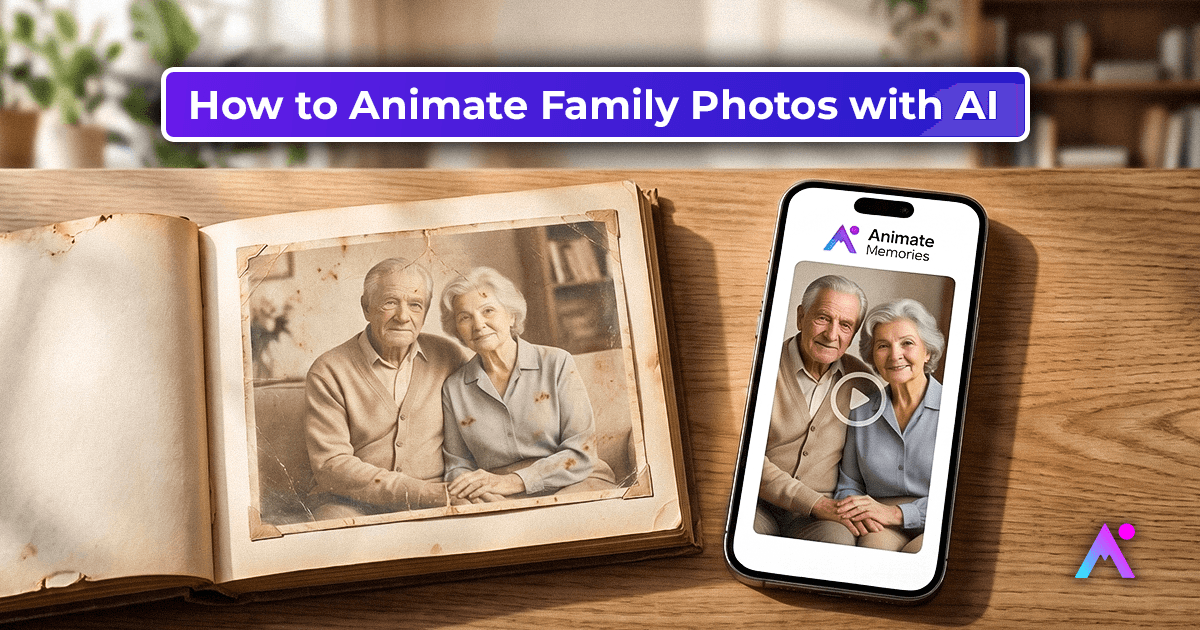
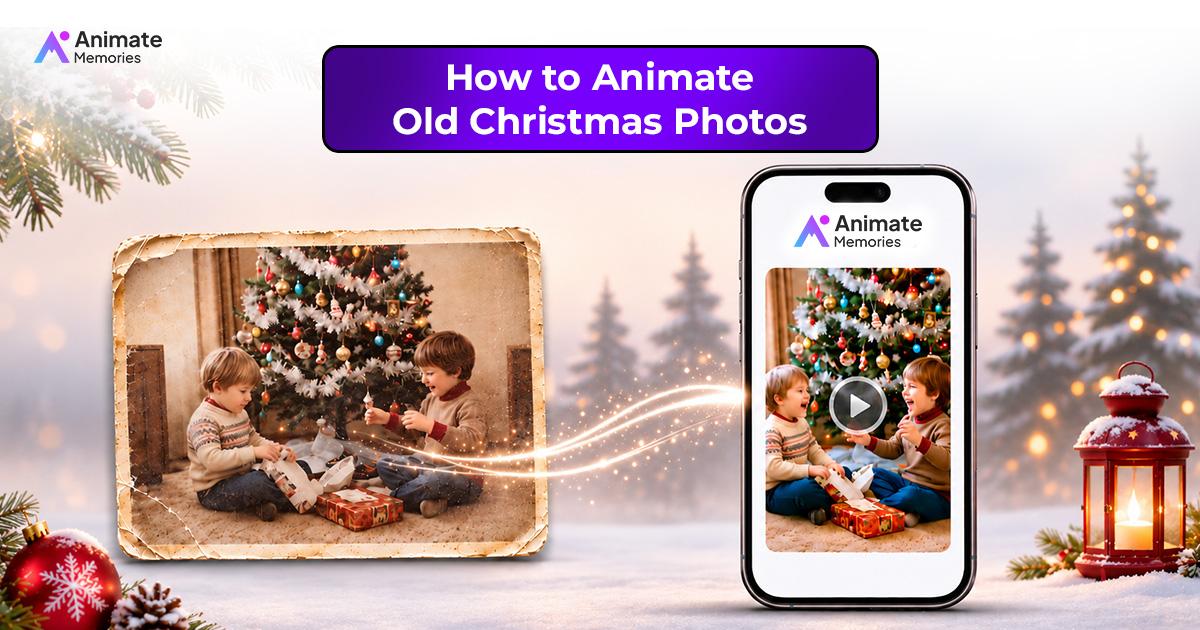
With AI photo animation, you can turn selected still photographs into short animated clips with subtle movement. It offers a creative way to revisit childhood family memories and share them with loved ones during the holiday season.
In this guide, you will learn how to animate old Christmas photos, prepare images for better results, choose meaningful pictures, and preserve your family's holiday memories for future generations. New to photo animation? Start with our complete guide on how to animate old photos with AI.
Why Old Christmas Photos Hold So Many Memories
Christmas photographs often capture moments that families continue talking about years later. They may show a decorated living room, children waiting for presents, grandparents sitting beside the Christmas tree, or relatives gathered for a holiday dinner.
These everyday moments can become valuable pieces of family history.
For example, an old childhood Christmas photo may remind someone of their first bicycle, a favorite toy, or a tradition followed by their parents. A picture of grandparents celebrating Christmas may help younger family members connect with relatives they never had the chance to meet.
Old Christmas pictures can help families:
- Revisit childhood celebrations and holiday traditions.
- Remember grandparents and other loved ones.
- Share family stories with children and grandchildren.
- Preserve photographs from earlier generations.
- Create meaningful digital collections for future holidays.
Even an imperfect photograph can hold an important memory. Its value does not depend on professional lighting or perfect image quality.
What Is AI Photo Animation?
AI photo animation is a process that uses artificial intelligence to generate movement from a still photograph. Instead of remaining a static image, the photograph can become a short animated clip with subtle visual changes.
Depending on the image and the animation tool, these movements may include gentle facial expressions, slight head movements, or other natural-looking motion.
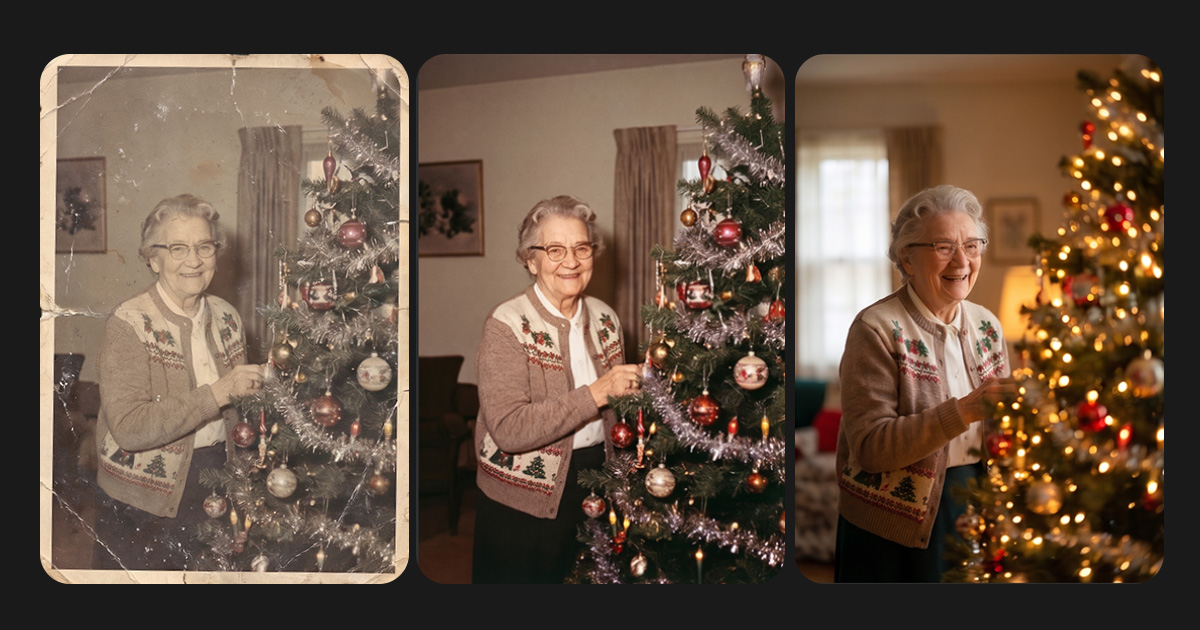
For example, an old photograph of a grandparent smiling beside a Christmas tree may be transformed into a short animated version that adds subtle movement to the original portrait.
It is important to understand that AI animation generates an interpretation of a photograph. It does not recover original video footage or show exactly how someone moved in the past.
The purpose is to offer another creative way to experience and share meaningful family photographs.
Which Old Christmas Photos Are Best for Animation?
Choosing the right photograph is one of the most important parts of the process. A clear image with recognizable faces generally provides a better starting point than a photograph with heavy damage or very little visible detail.
Here are some types of Christmas photographs you can consider animating.
1. Childhood Christmas Morning Photos
Look for pictures showing children opening presents, sitting beside a Christmas tree, or enjoying their holiday gifts. These photographs can bring back memories of childhood excitement and family traditions.
2. Grandparents' Christmas Portraits
Old photographs of grandparents celebrating Christmas can be especially meaningful. They may show grandparents with their children, grandchildren, or other relatives during a holiday gathering.
3. Family Christmas Gatherings
Group photographs from Christmas dinners and family celebrations can help preserve memories of relatives who may now live far away or are no longer present.
For group photographs, check whether individual faces are clear enough. Our guide to animating family photos has more tips for group shots.
4. Vintage Christmas Tree Photographs
Pictures of decorated Christmas trees, family living rooms, and holiday decorations can capture the atmosphere of celebrations from earlier decades.
5. Christmas Photos with Loved Ones
A photograph featuring someone special can be a meaningful choice. Before animating it, consider how the result may feel to other family members. Some people may prefer to keep the original photograph unchanged, and that preference should always be respected.
How to Animate Old Christmas Photos with AI
You do not need to be a professional photo editor to explore AI photo animation. The process can be simple when you begin with a suitable photograph and review the result carefully.
Step 1: Find a Meaningful Christmas Photograph
Start by looking through old family albums, storage boxes, or digital folders.
Choose a photograph connected to a memory you would like to revisit. It could be a childhood Christmas morning, a family portrait, a photograph with grandparents, or a picture from an earlier holiday celebration.
Try to select an image with visible faces and enough detail to recognize the people.
Step 2: Digitize Your Old Christmas Photo
If your photograph is printed, create a digital copy before using an animation tool.
A flatbed scanner is a useful option because it can capture the photograph without requiring you to handle it repeatedly. You can also use a scanning app or camera, provided the image is evenly lit and free from glare.
Keep the original print safe. Work with the digital copy rather than making changes to the physical photograph.
Step 3: Restore the Photograph if Needed
Some old Christmas pictures may have faded colors, scratches, creases, or stains. These issues can make important details difficult to see.
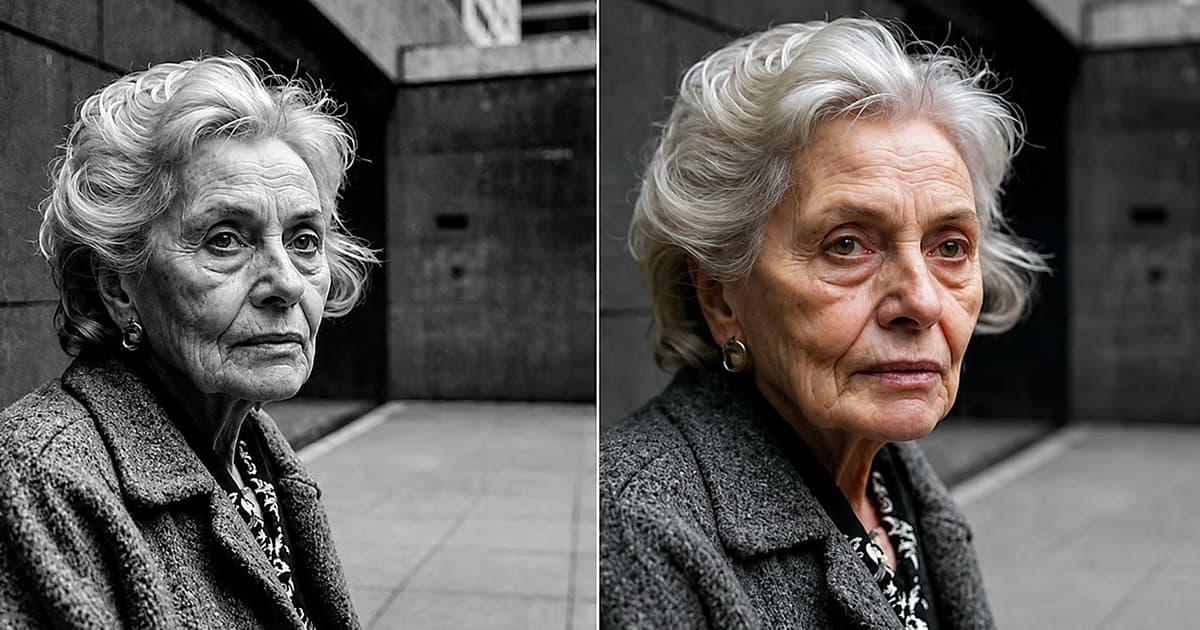
Before animation, consider restoring a digital copy. The Restore option in the Animate Memories Studio can improve clarity, contrast and visible imperfections, depending on the photograph's condition.
Always compare the restored image with the original. AI restoration can interpret unclear details, so check that the people and important features still look recognizable.
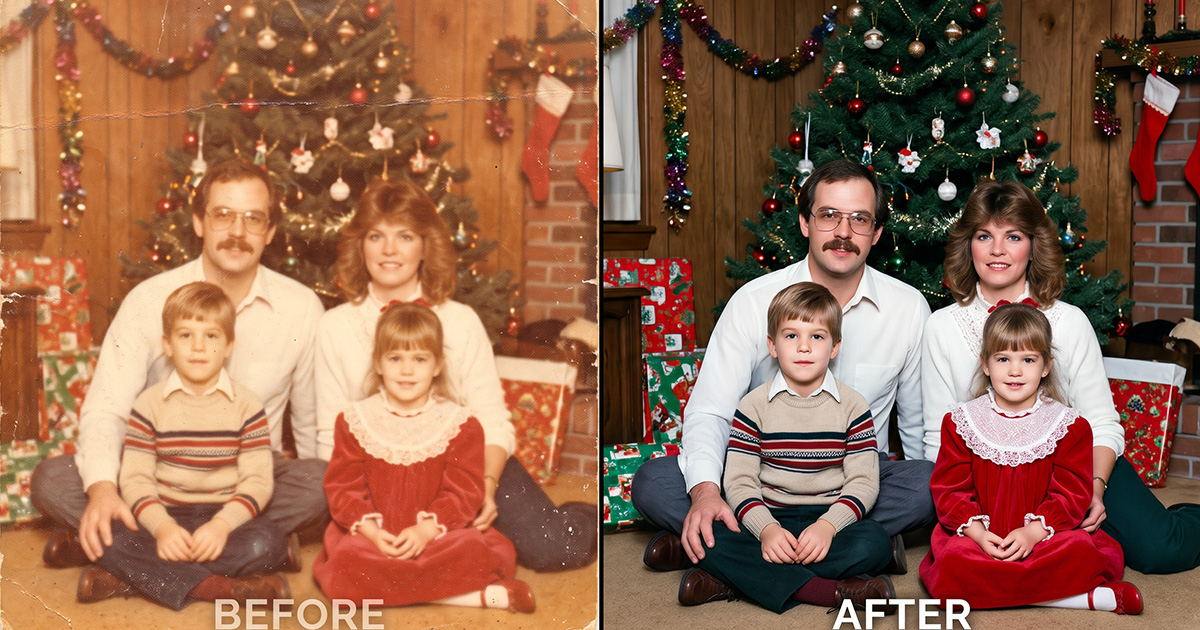
If you want to understand this process in more detail, explore our guide to restoring old photos online with AI.
Step 4: Upload the Image to an AI Photo Animation Tool
Once your photograph is ready, choose an AI photo animation tool that supports still-image animation.
Upload the digital photograph and follow the instructions provided by the tool. Make sure you are using the correct image and that it is positioned properly before starting the process.
In Animate Memories, open the Studio, choose Animate and upload your photo. The credit cost is shown before you start, so you know exactly what each animation uses.
Step 5: Generate the Animation
Start the animation process and allow the tool to generate movement from your photograph.
The result may include subtle facial or head movements, depending on the image and the tool's capabilities.
Remember that every photograph is different. Image quality, face visibility, lighting, and the number of people in the picture can affect the final result.
Step 6: Review the Animated Result
Watch the generated clip carefully before sharing it.
Check whether the faces remain recognizable and whether the movement looks suitable for the photograph. If the result does not feel right, consider using a clearer image or a different photograph.
For family photographs involving loved ones who have passed away, take extra care when deciding whether and how to share the animation.
Step 7: Save and Share Your Christmas Memory
Once you are happy with the result, save the animated clip and keep a separate copy of the original photograph.
You can share the animation with family members, include it in a Christmas memory slideshow, or keep it as part of a digital family collection.
Adding the person's name, approximate year, and a short description can also help preserve the story behind the photograph.
How to Make Your AI Christmas Photo Animation Look Better
The quality of the original image plays an important role in the final animation. A few simple preparation steps can help you get a more suitable starting image. For a general walkthrough that works for any old photo, see our answer to how do I animate an old photo.
Choose a clear photograph: Images with visible faces and recognizable details are generally better starting points.
Avoid excessive cropping: Keep important facial features inside the image. Do not crop too closely around the face.
Restore visible damage: If a photograph has significant fading or scratches, consider restoring a digital copy before animation.
Use a good-quality scan: Avoid blurry camera images, glare, and uneven lighting when digitizing printed photographs.
Keep the original image: Always save the original scan separately so you can compare it with the restored or animated version.
Review before sharing: AI-generated movement may not always look exactly as expected. Check the final clip before including it in a family presentation.
Creative Ways to Share Animated Christmas Family Memories
Once you have animated an old Christmas photograph, there are several ways to include it in your holiday celebrations.
Create a Christmas Memory Slideshow
Combine animated clips with original photographs from different years. Arrange them in chronological order to show how family celebrations and traditions have changed over time.
Share Childhood Memories with Family
Send an animated photograph to siblings, cousins, or grandparents. Include a short message explaining when the picture was taken and why it is special.
Create a Digital Family Memory Collection
Keep restored photographs, animated clips, and original scans together in an organized digital folder. Add names, dates, and descriptions so future generations can understand the stories behind them.
Revisit Grandparents' Holiday Memories
If your grandparents enjoy looking through old photographs, invite them to share stories about the people and celebrations in the pictures. Their memories can add context that no photograph can provide on its own.
Preserve Your Christmas Memories Beyond the Holiday Season
Christmas may last only a few days each year, but the memories connected to it can remain meaningful for generations.
Instead of leaving old photographs in albums or storage boxes, take some time to digitize, organize, and preserve them.
Add names, dates, and family stories wherever possible. Keep backup copies so that these memories remain accessible even if an original print becomes damaged.
You can also make photo preservation a family tradition. Each year, add a few new holiday pictures to your digital collection alongside photographs from earlier generations.
If you are interested in preserving more than Christmas photographs, explore our story about restoring a 100-year-old family photo. It offers another example of why older family photographs deserve careful attention.
Frequently Asked Questions
1. How can I animate old Christmas photos?
Scan or photograph the print, then upload the digital copy to an AI photo animation tool such as Animate Memories. In the Studio, choose Animate and the tool creates a short clip with subtle movement based on the original photo.
2. Can I animate childhood Christmas photos with AI?
Yes. Childhood Christmas photographs can be used for AI animation if the faces and important details are sufficiently visible. Clear, well-digitized photographs generally provide a better starting point.
3. What type of Christmas photo works best for AI animation?
A photograph with a clear face, good visibility, and recognizable facial features is generally a suitable choice. Avoid images that are extremely blurry, heavily damaged, or too small to show important details.
4. Can I animate old Christmas photos of my grandparents?
Yes. You can use a suitable photograph of your grandparents as the starting image. Consider choosing a picture that holds special meaning for your family and review the generated result before sharing it.
5. Should I restore an old Christmas photo before animating it?
If the photograph is faded, scratched, or damaged, restoring a digital copy first may improve its appearance. However, restoration results depend on the original image's condition.
6. Are AI-animated Christmas photos real videos?
No. AI animation generates movement from a still photograph. The result is an AI-generated interpretation, not original video footage of the people in the picture.
7. Can I animate a group Christmas family photo?
It depends on the animation tool and the photograph. Clear individual faces may help, but group photographs can be more challenging because several people appear in the same image.
8. How can I preserve old Christmas family photographs?
Digitize printed photographs, keep backup copies, organize them by year or occasion, and add names and descriptions. Store original prints carefully to reduce the risk of further damage.
9. Can I share AI-animated Christmas photos with my family?
Yes. You can share the generated clips with relatives or include them in a digital Christmas slideshow. It is considerate to discuss the use of personal family photographs with relatives before sharing them publicly.
Bring Your Old Christmas Photos to Life with Animate Memories
Your old Christmas photographs hold moments that deserve to be remembered. From childhood celebrations and family gatherings to special pictures with grandparents, every image can tell a story worth preserving.
With AI photo animation, you can explore a creative way to revisit those memories and share them with the people who matter most.
Choose a meaningful photograph, prepare a digital copy, and discover how AI animation can add subtle movement to a still image.
Start creating your animated family memories with Animate Memories today.